Importing Recovered Vendor Central orders into StoreFeeder
The first step is to import the orders into StoreFeeder to ensure we have the stock available.
Login to Vendor Central and select Confirm New POs
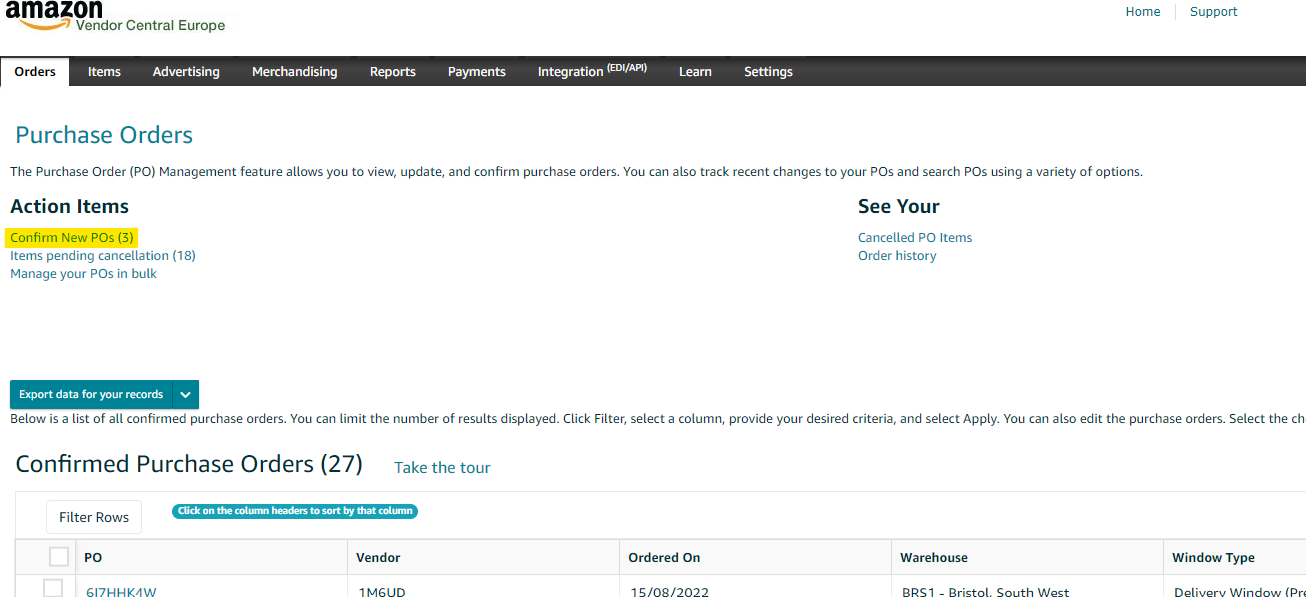
Once selected, the Confirm New POs screen appears :-

Select a single PO in the check box :-
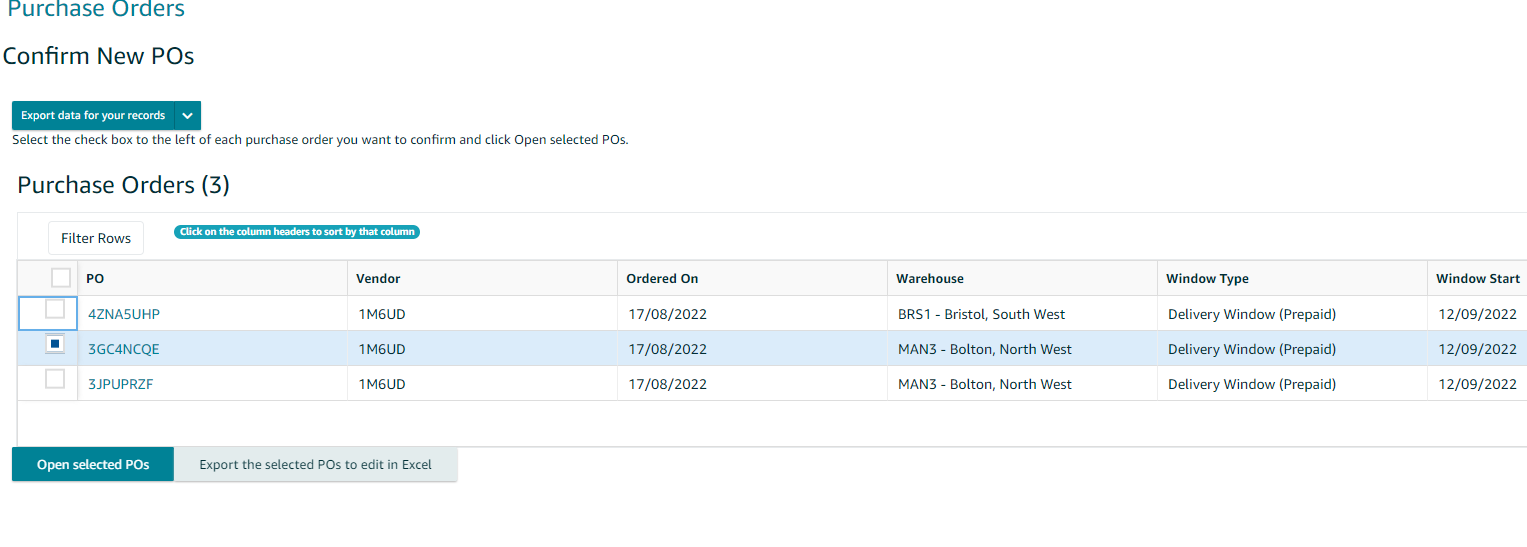
Then Select Open Selected POs
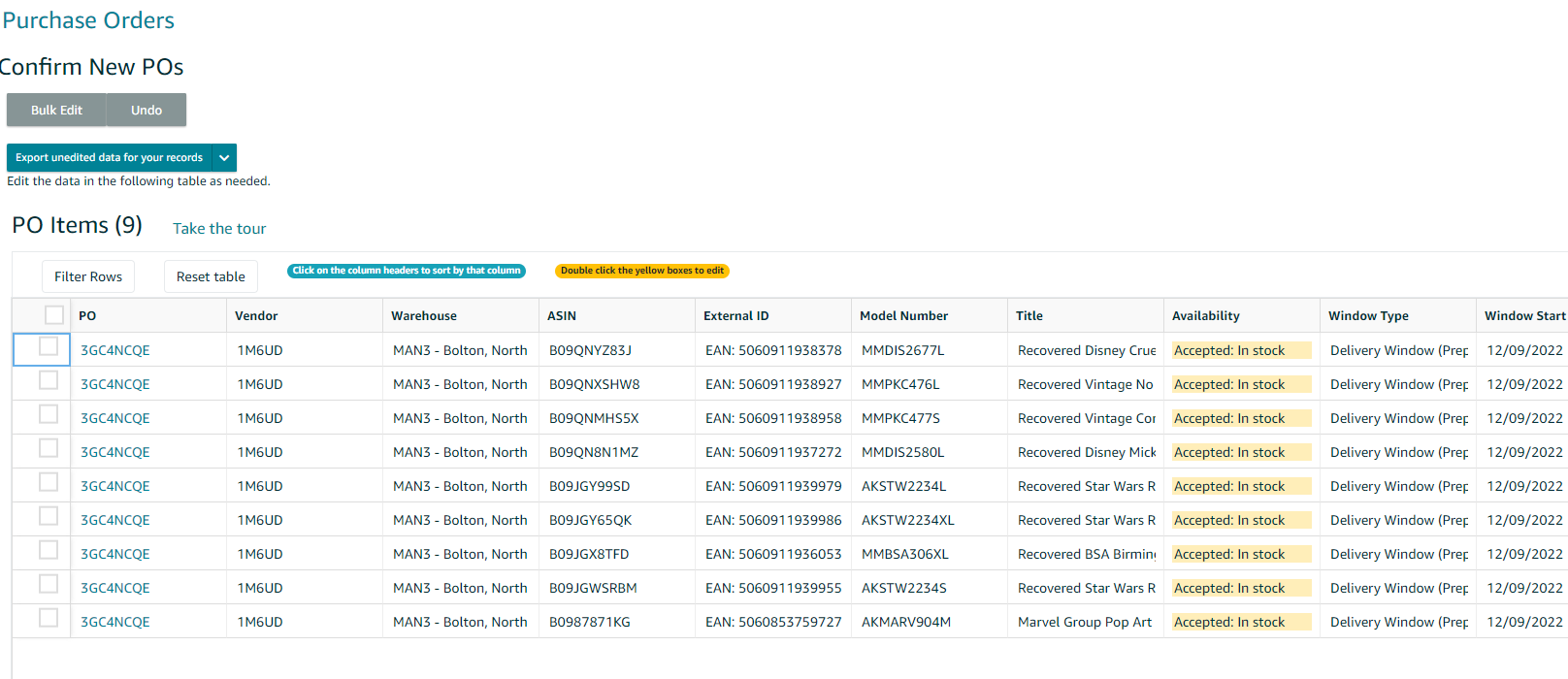
Select "Export unedited data for your records" - at this point Vendor Central will create a CSV for you to view :-
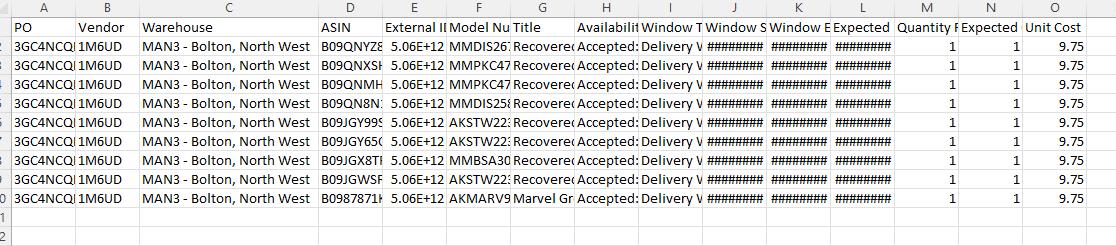
This info then needs to be pasted into the relevant Customer / Amazon Fulfilment Centre CSV Upload File - we have created a number of files for each customer / fulfilment centre - the relevant fulfilment centre can be found in Column C of the downloaded CSV. In the above example, this is MAN3 - Bolton ..
Open the Customer / Fulfilment Centre CSV - for example "RECOVERED VENDOR CENTRAL BOLTON" :-

Once you've populated the file with the relevant data it should look similar to this :-

Save your file.
In StoreFeeder, navigate to the CSV Order Import page :-

Select Recovered Clothing Bulk/FBA Channel.
Select your saved file.
The order field mappings have already been saved, therefore choose "Confirm Mappings" at the foot of the page.
Once mappings are confirmed, select Confirm Import.
Once confirmed, the order should now appear in the Recovered Bulk / FBA Channel :-

At this point we need to determine whether the order is complete, ie all stock allocated or not.
Move to confirming the order
Was this article helpful?
That’s Great!
Thank you for your feedback
Sorry! We couldn't be helpful
Thank you for your feedback
Feedback sent
We appreciate your effort and will try to fix the article